1
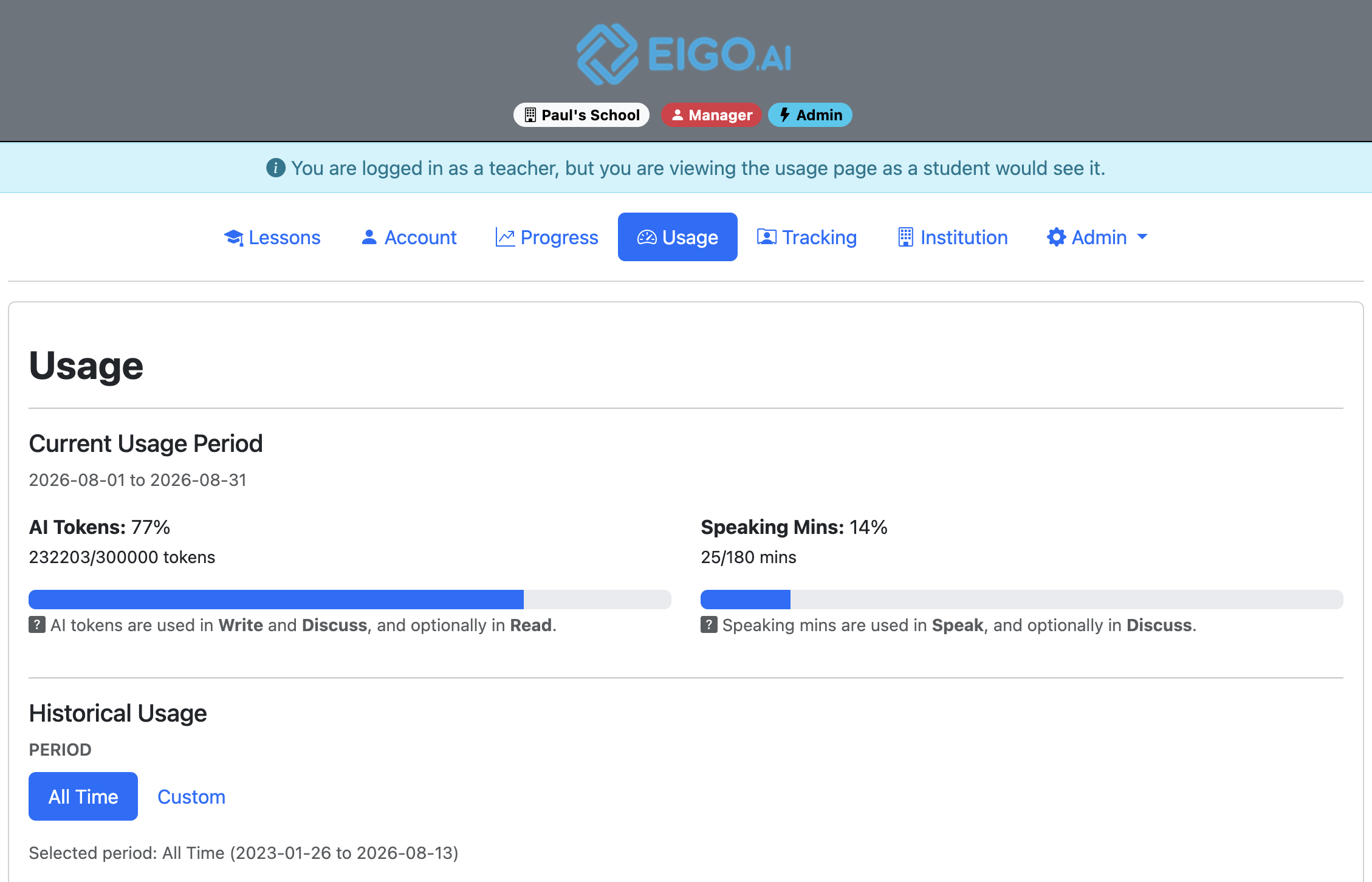
Navigate to https://eigo.ai/usage/ to open your AI token and speaking usage report.
2
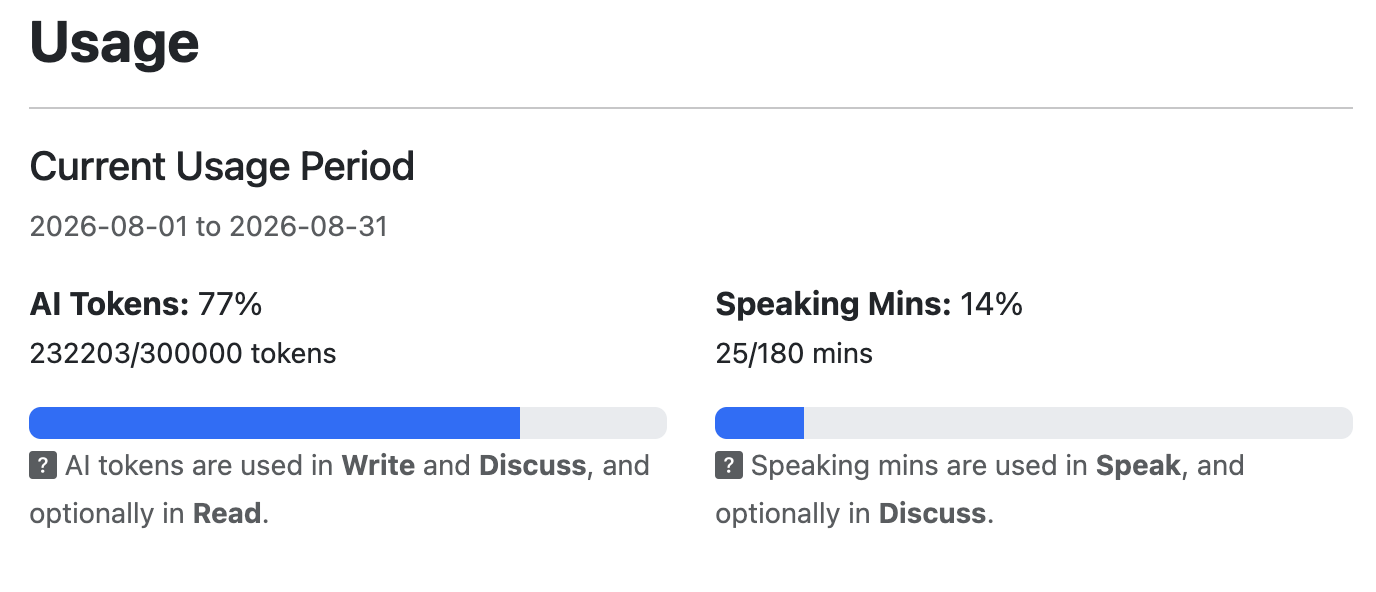
Review the Current Usage Period. AI Tokens shows token usage for Write and Discuss, and optionally Read. Speaking Mins shows speaking usage for Speak, and optionally Discuss.
3
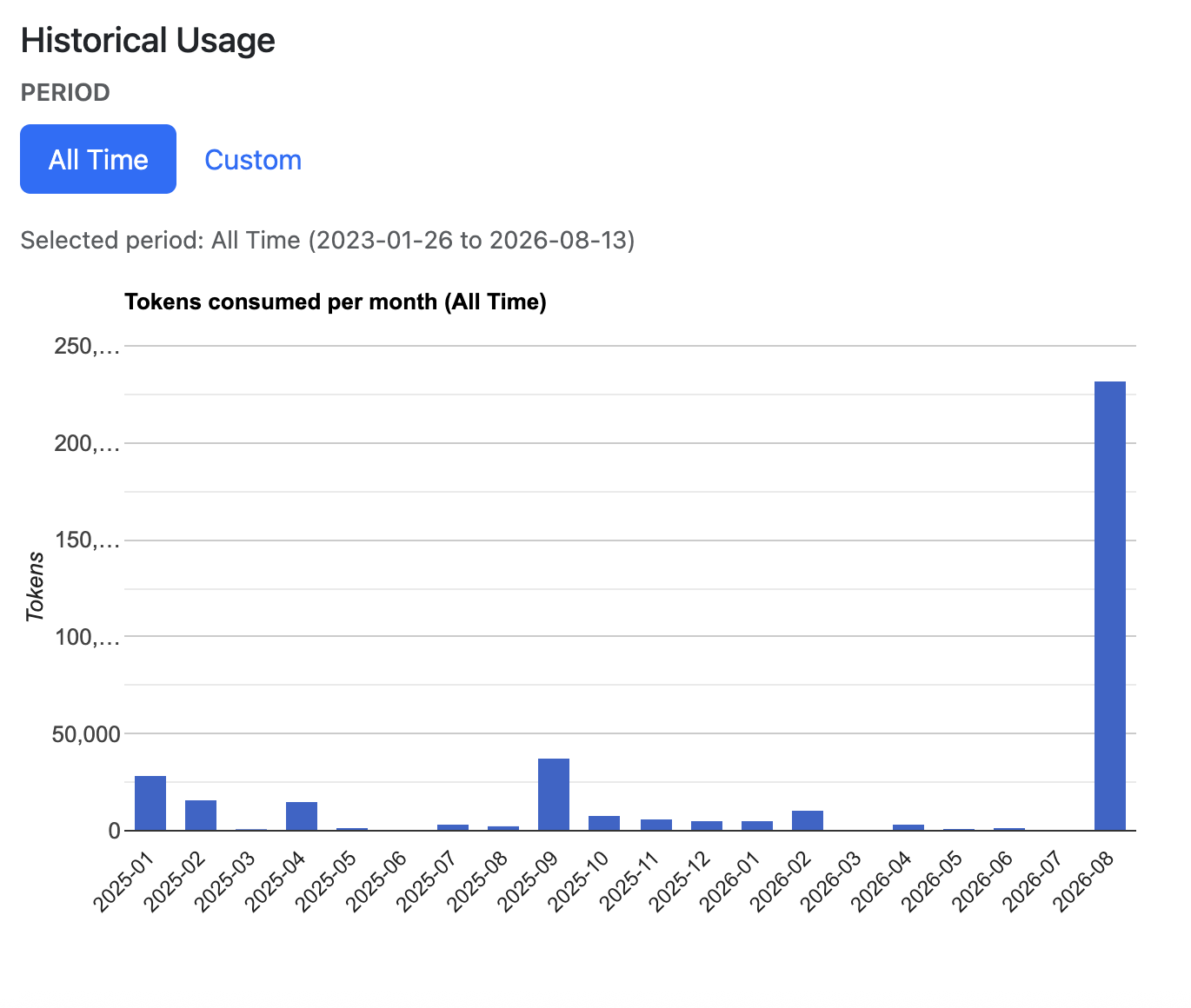
Under Historical Usage, select All Time to view AI token and speaking usage across all available records, or select Custom to choose a specific month.
4
If you select Custom, choose the Year and Month. The AI token and speaking usage charts update for the selected month.
AI token and speaking usage resets on the 1st of each month. You may continue to study activities that do not require minutes or tokens, such as Watch, Listen, Read, and Review, even if you reach your limits.