1
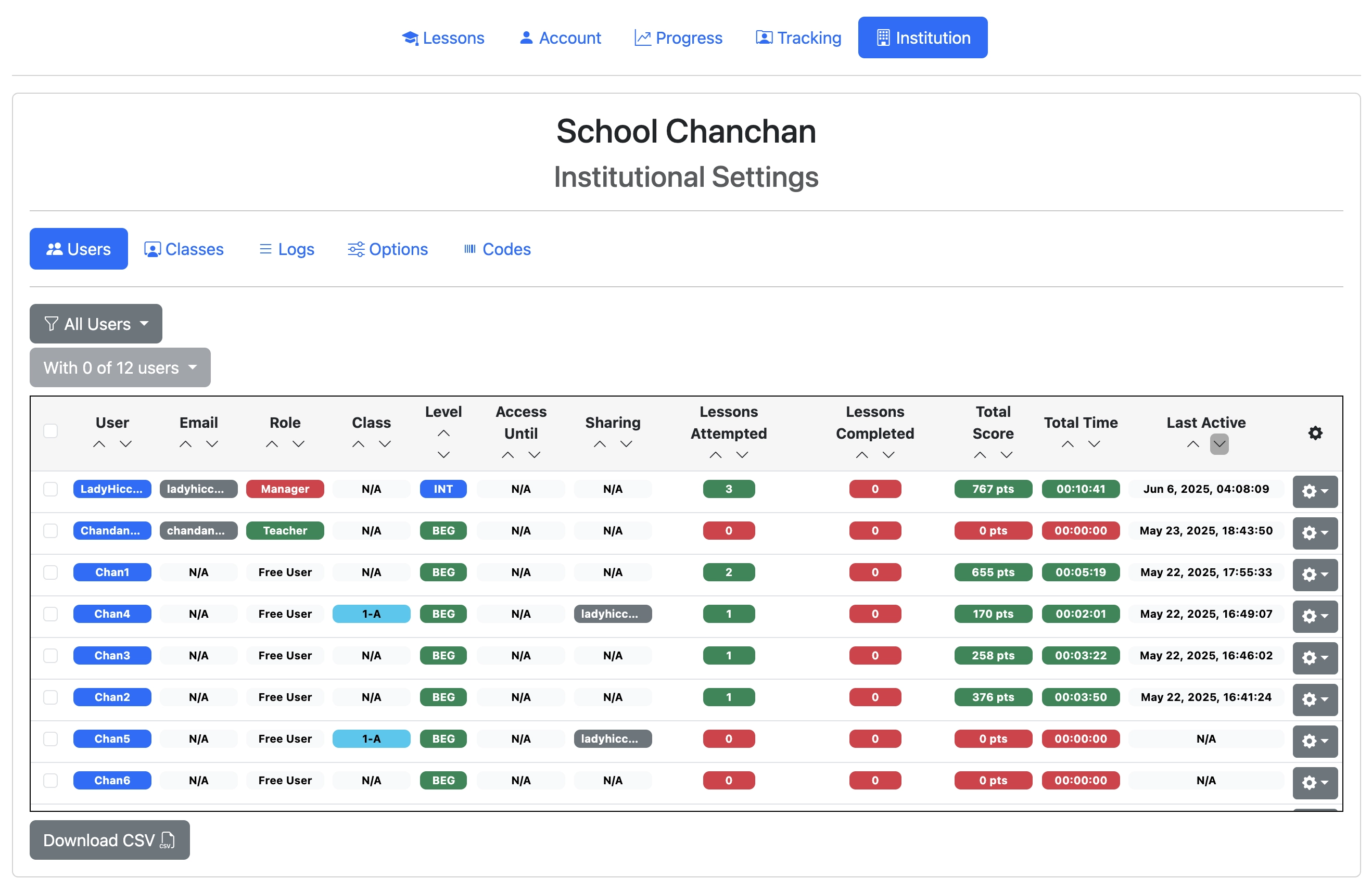
Sign in to Eigo.AI, click "Institution", then click "Users" to open the Users page.
2
Click "All Users" to filter the users by class.
3
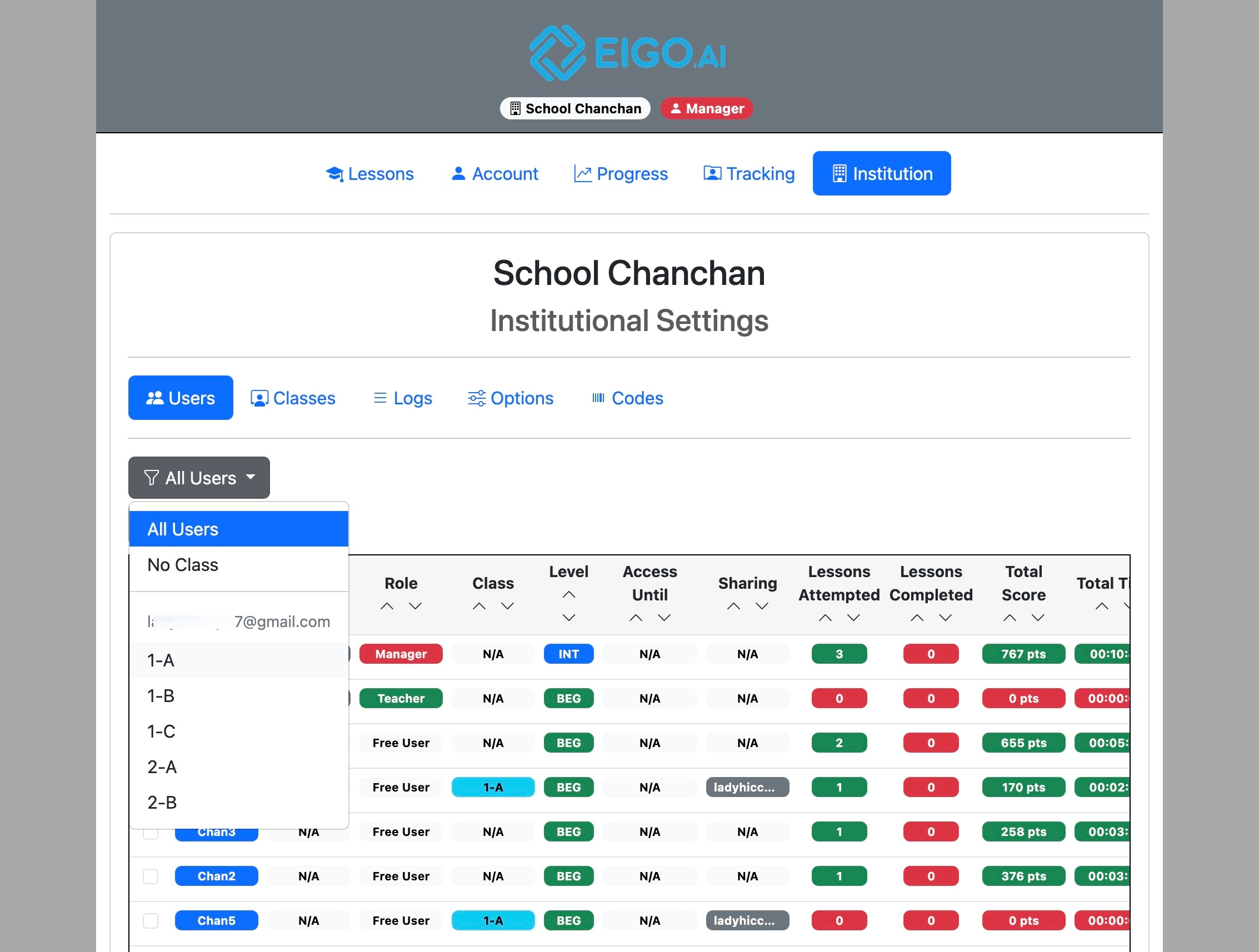
Select the class name from the dropdown or select "No Class" to show users who are not yet assigned to a class.
Manager Manual
3 step guide for Eigo.AI manager users.
Sign in to Eigo.AI, click "Institution", then click "Users" to open the Users page.
Click "All Users" to filter the users by class.
Select the class name from the dropdown or select "No Class" to show users who are not yet assigned to a class.