1
Sign in to Eigo.AI, click "Institution", then click "Users" to open the Users page.
2
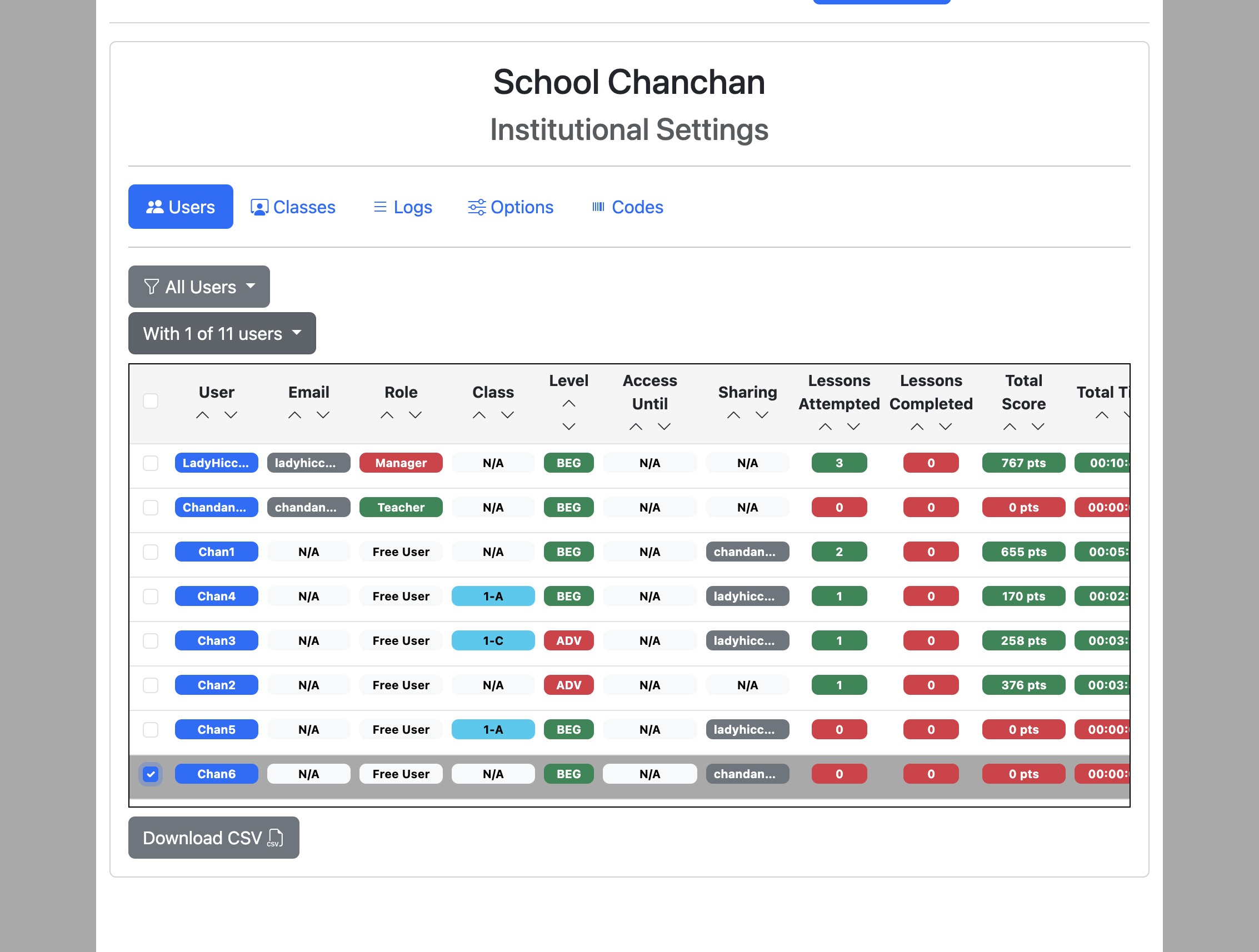
Select users using the checkboxes on the left and click the "With x of n users" dropdown button.
3
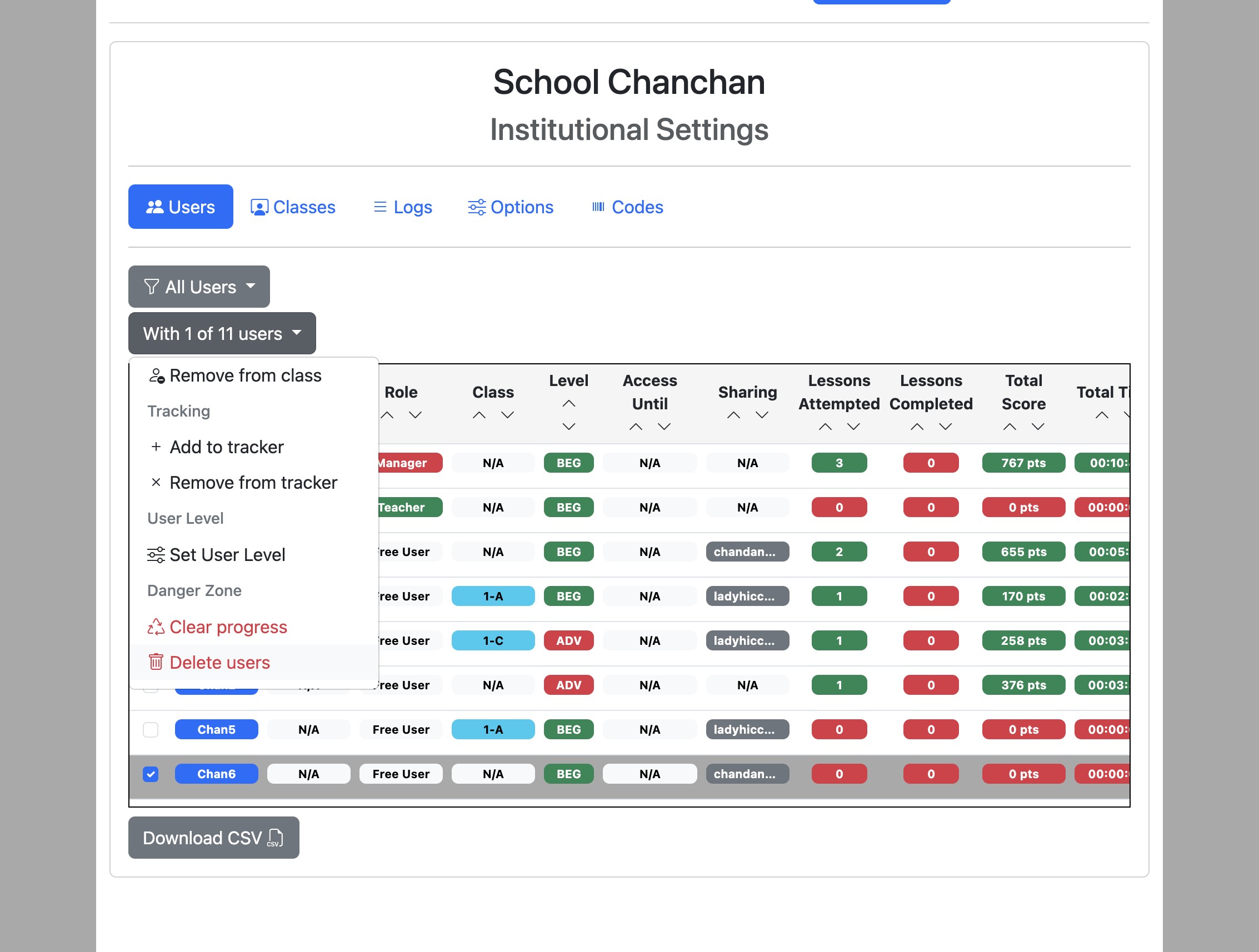
Click "Delete users".
4
Eigo.AI emails a verification code to your registered email address before showing the final deletion confirmation.
5
Enter the 6-digit verification code from the email and click "Verify".
6
After verification is complete, click the "Permanently delete" checkbox.
7
Click "Delete Accounts" to confirm.
Deleting user accounts will delete all associated progress records. This is a permanent action which cannot be undone. Teacher and manager accounts cannot be deleted. Contact us if you wish to delete these kinds of accounts.