Adding users to a tracker allows the owner of the tracker, which must be a teacher registered under your institution, to view the selected students' progress and manage their accounts.
1
Sign in to Eigo.AI, click "Institution", then click "Users" to open the Users page.
2
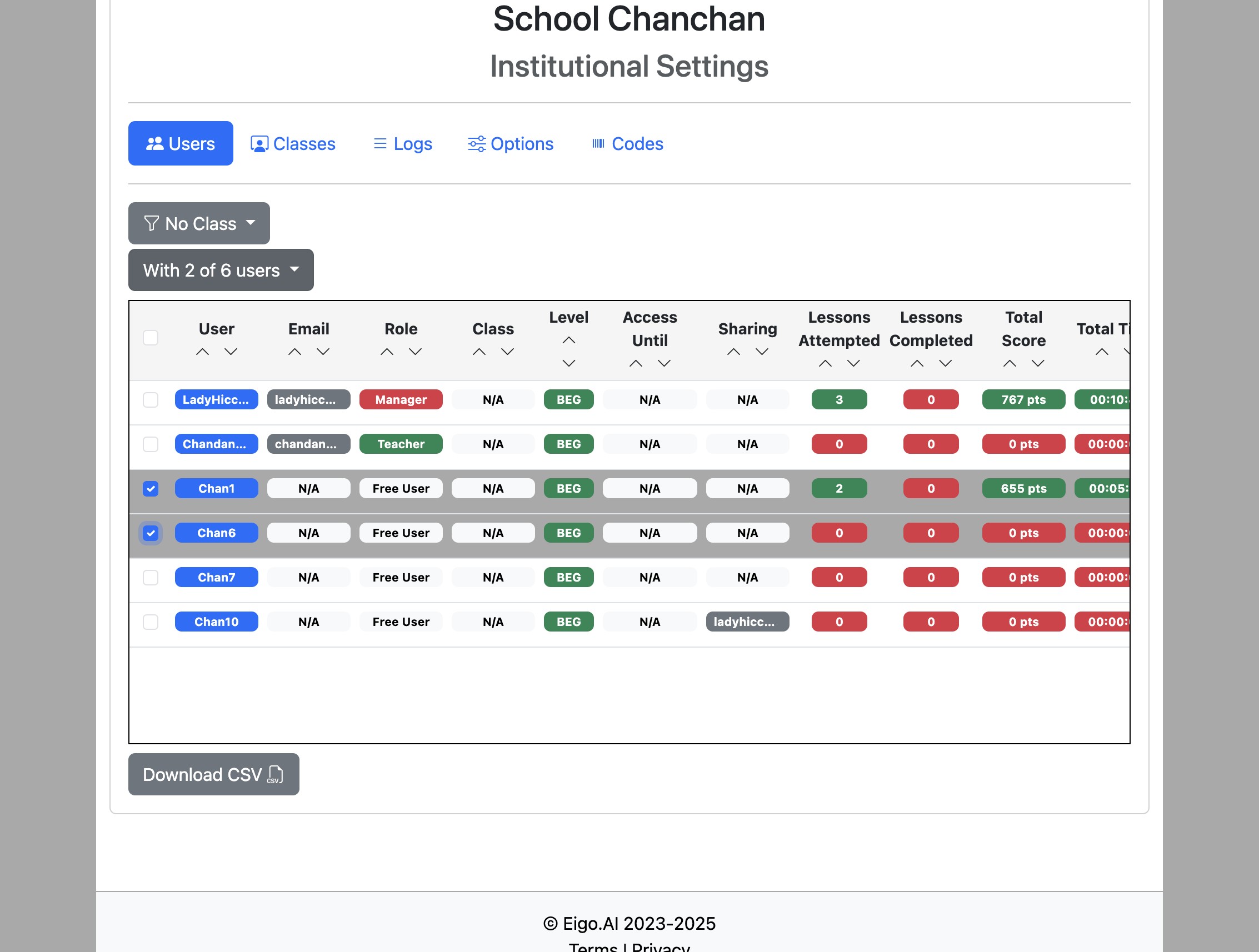
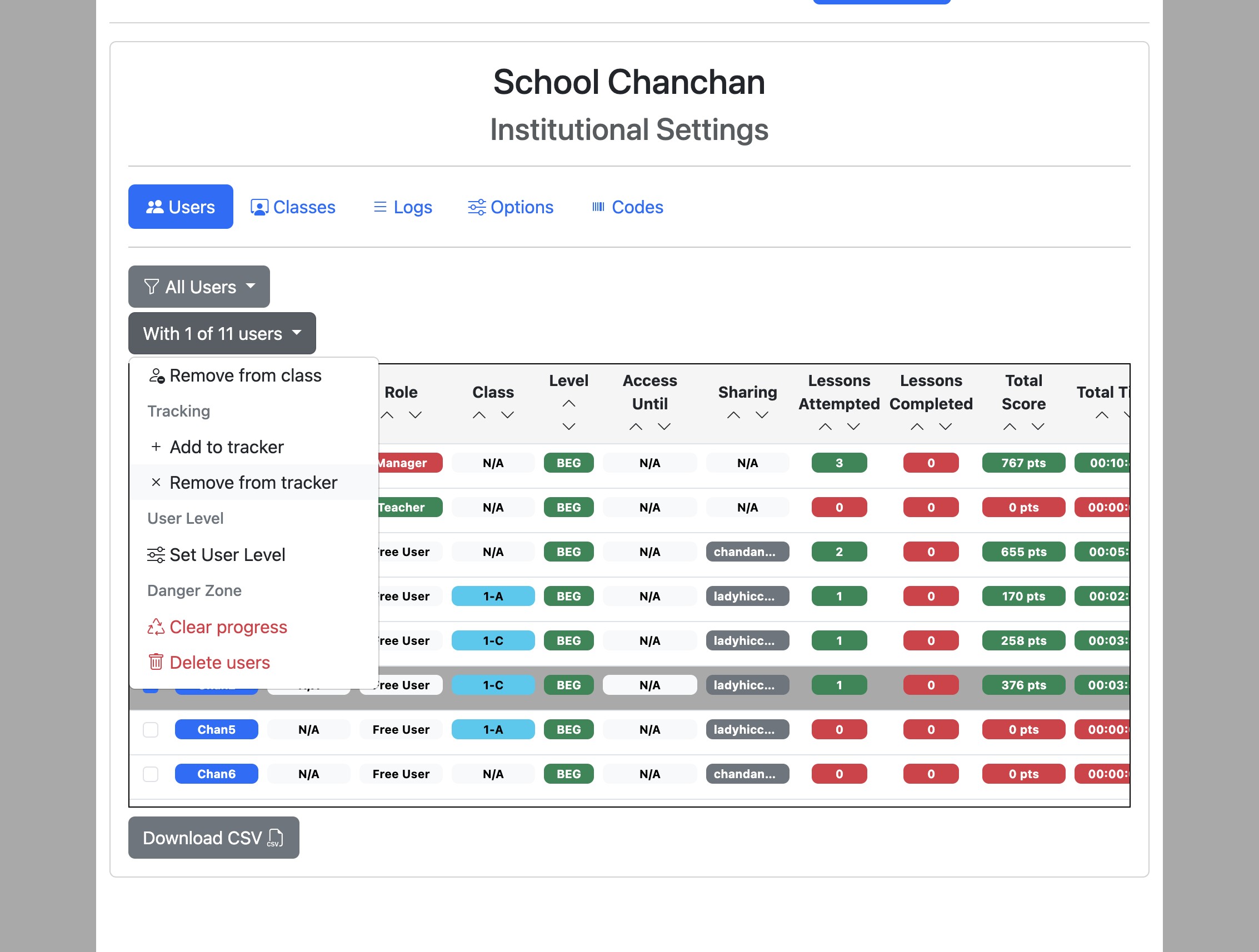
Select the users using the checkboxes on the left and click the "With x of n users" dropdown button.
3
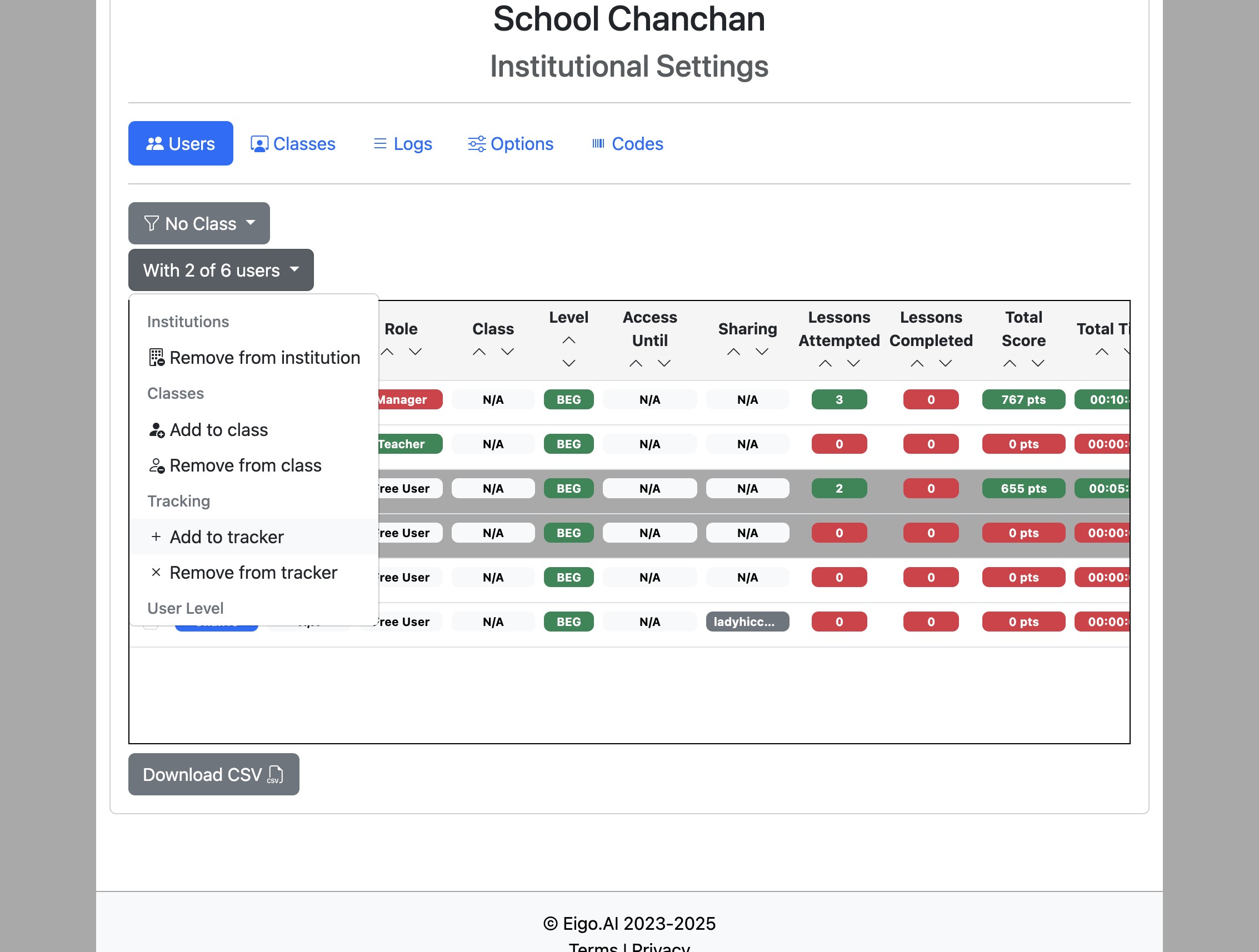
Click "Add to tracker".
4
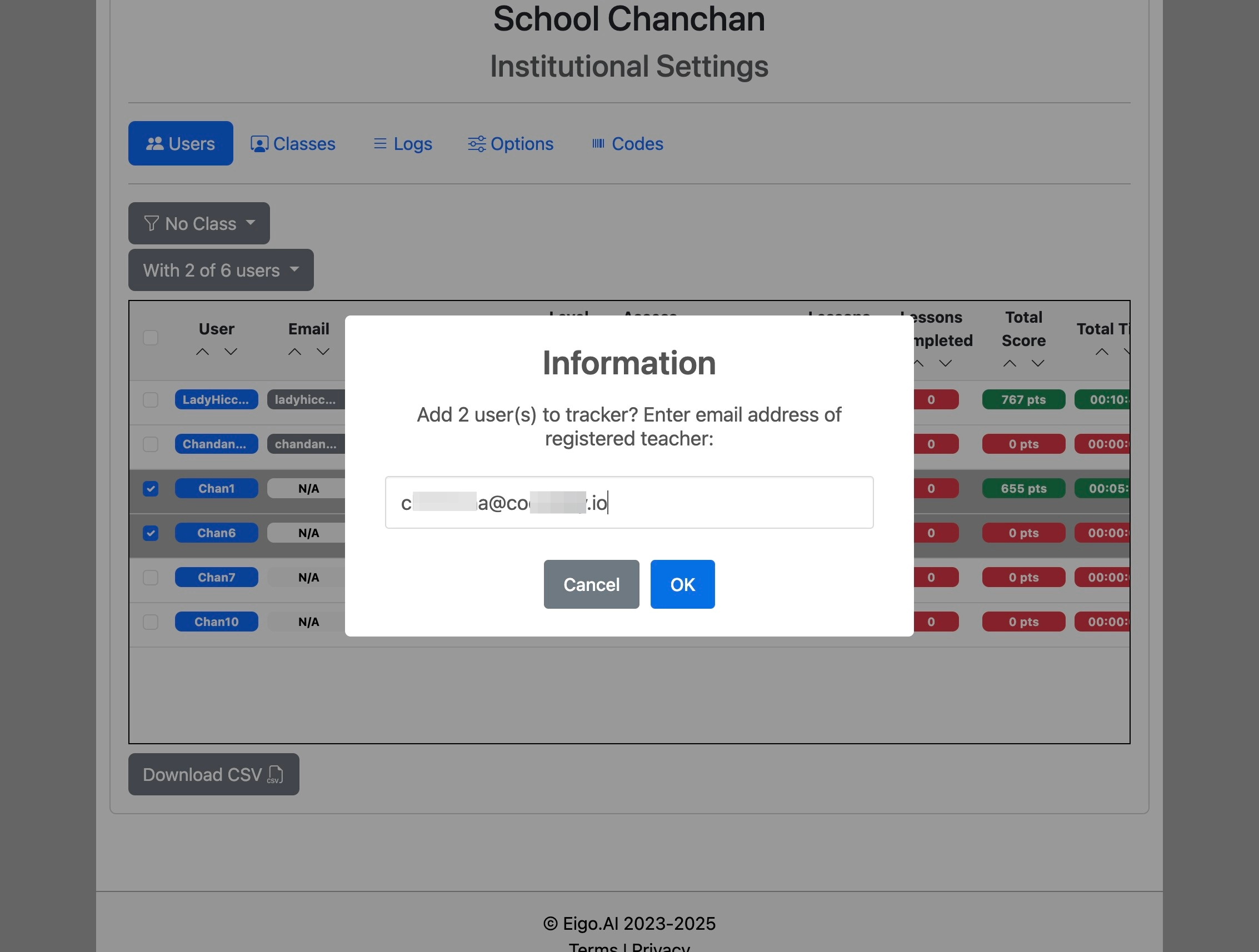
Enter the email address of a teacher registered under your institutional subscription and click "OK".
5
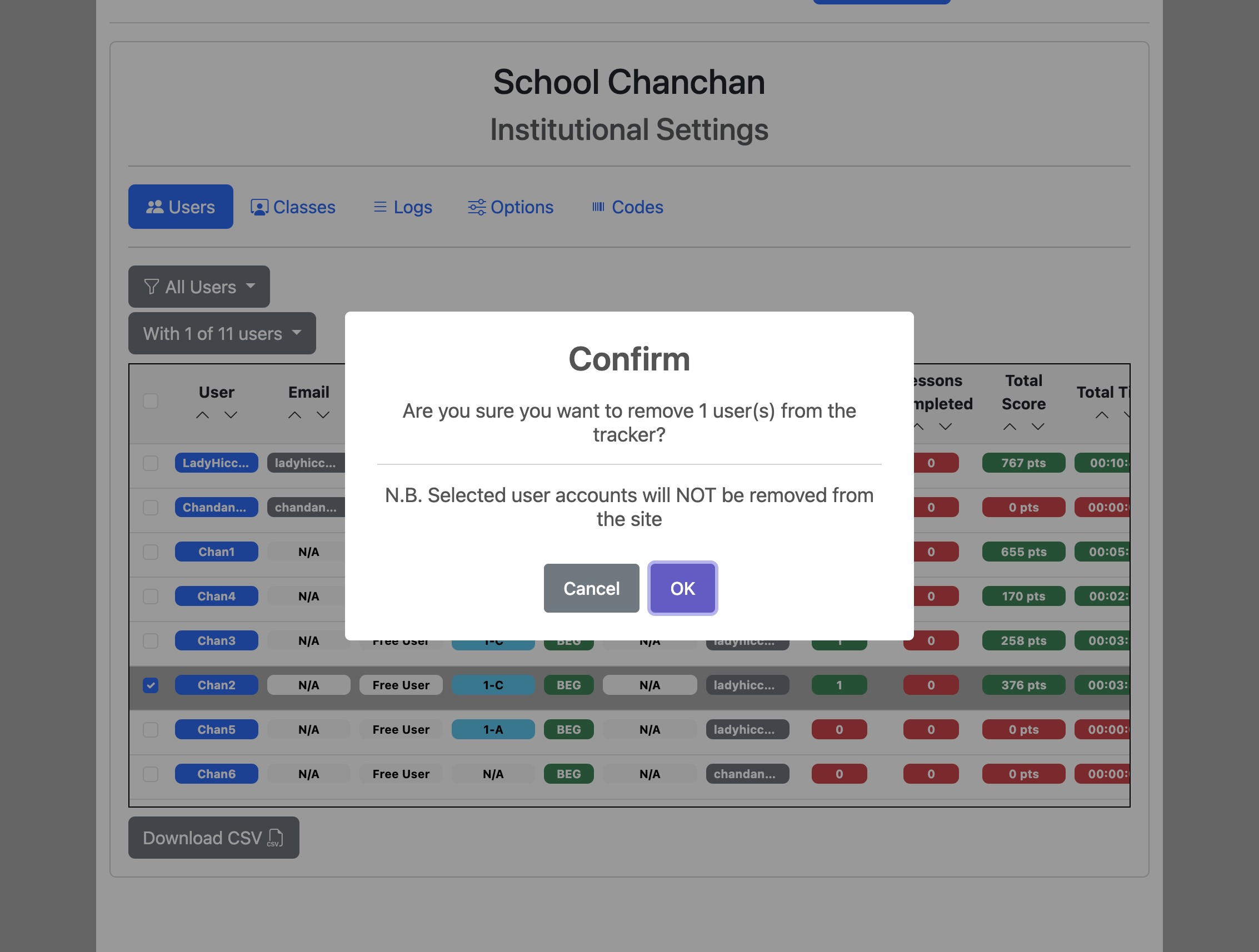
To remove users from the tracker they are currently assigned to, click "Remove from tracker".
6
Click "OK" to confirm.